Free, Offline Voice Typing for Android
Tap any text box, hold a small floating button, talk, and let go. Your words are transcribed on the phone and typed into the box, in any app, with whichever keyboard you already use. No account, no subscription, and your voice is not uploaded.
Free & open source (MIT) · Android 8 or newer, 64-bit · about 26 MB, plus a one-time speech model download · version 1.2.0
How it works
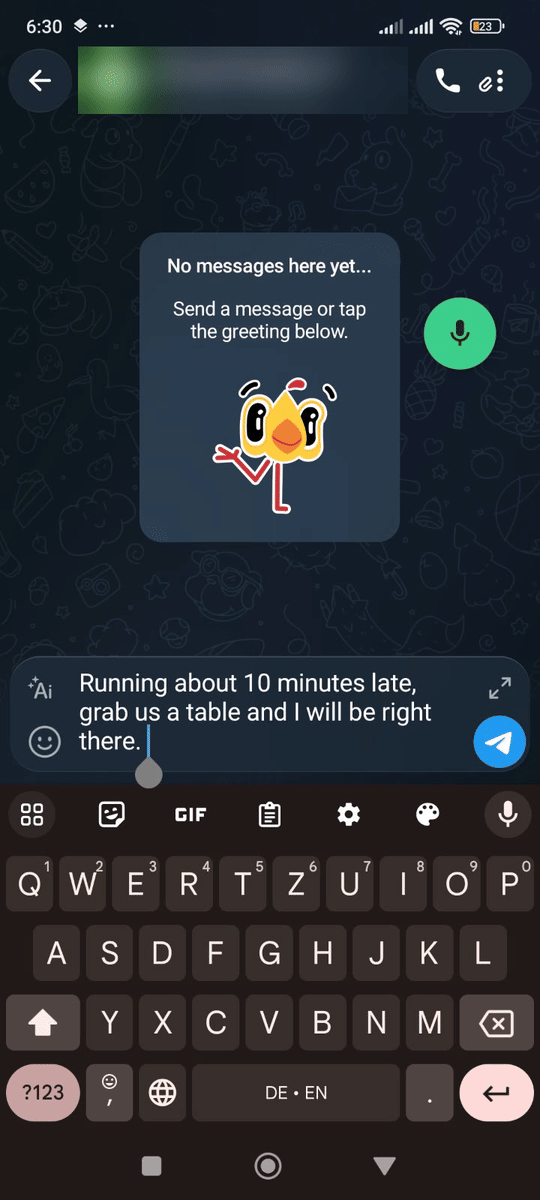
When you tap a text field and the keyboard opens, a small button appears above it. Hold it to record and release to stop, or tap it once to start and again to stop. The text appears in the field. The button stays out of the way otherwise: it is hidden when no text box is focused, it never shows in password or PIN boxes, you can drag it anywhere, and dragging it to the bottom of the screen hides it for 10 minutes.
Transcription happens on your phone
The first time you open the app, it downloads the speech model for your language once: IBM's Granite Speech (536 MB) for English, French, German, Italian, Portuguese and Spanish, or NVIDIA's Nemotron (682 MB) for Arabic and 14 more languages, including Hindi, Japanese, Chinese, Korean, Russian and Turkish. After that it works in airplane mode. Audio is processed on the phone and discarded, and it is never sent to Google or anyone else. The privacy policy has the details.
More than typing
- Spoken commands. Say "period", "comma" or "new line" and get the symbol, say "scratch that" or "delete last word" to take back what you just typed, and "capitalize that", "all caps" or "replace X with Y" to change it.
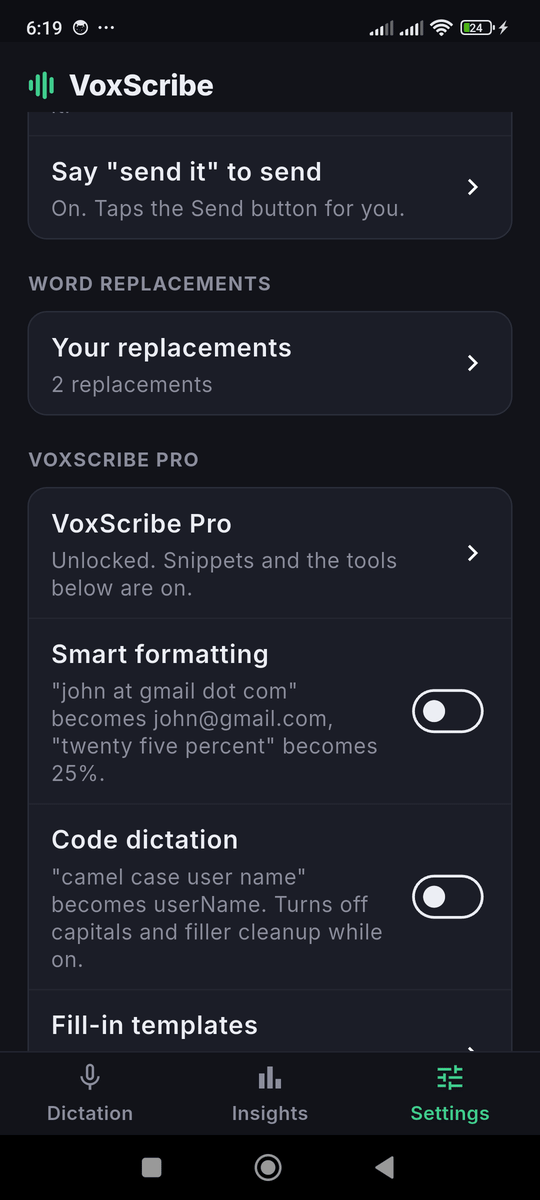
- "Send it". Turn it on and say "send it" after a message to tap the app's Send button.
- Boxes get the right format. In an email, web address or number box, "sam at gmail dot com" is typed as sam@gmail.com and a phone number as digits.
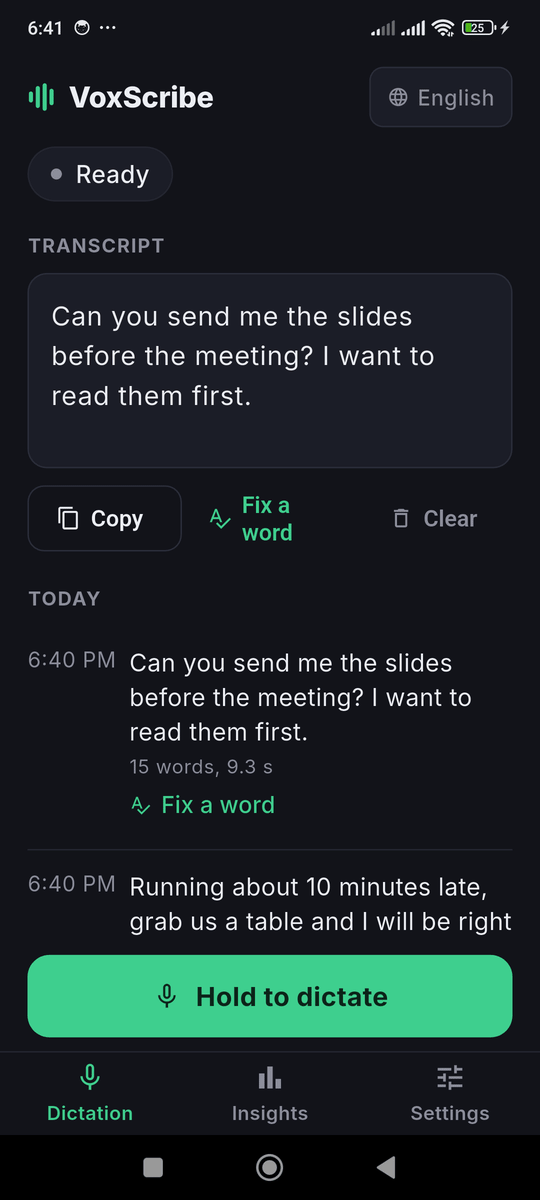
- Fix a word. Tap a word that was heard wrong on the Dictation screen, type what it should be, and it is right from then on. Export and import your replacements as a file.
- Word replacements and smart formatting. Fix names and jargon the model keeps mishearing, and have spoken emails, links and numbers written the way you would type them.
- Code dictation, fill-in templates and per-app profiles. Dictate symbols for code, fill a template by answering its prompts, and set different behavior for different apps.
- Transcribe files. Turn a voice note, recording or video into text and .srt captions, on the phone. A whole folder at once has 2 free runs, then it is Pro.
- Dictation modes. Chat, Email, Code and Notes tidy your words to fit what you write; with Pro the mode switches by itself with the app.
- History and Insights. Recent dictations stay on the phone so you can copy one back.
Voice commands, "send it", Fix a word and word replacements are free. Smart formatting, code dictation, fill-in templates and per-app profiles unlock with the same optional one-time Pro key as the Windows app.
What it asks for, and why
Setup takes three permissions, and the app walks you through them: the microphone, display over other apps (to draw the button), and the Accessibility service. Android requires the Accessibility service for any app that types into other apps. VoxScribe uses it to find the focused text field and add your dictation to it, and the privacy policy lists exactly what it reads and does not do.
Install
Download the APK from the Android 1.2.0 release and open it. Android will ask you to allow installs from your browser or files app once. VoxScribe is not on the Play Store yet. When a newer version is published, the app shows an update banner with a download button.
Play Protect says "App blocked to protect your device"? Play Protect blocks any app installed from outside the Play Store that asks for the Accessibility permission, whatever the app does. The block is about that permission, not about anything found in the app. To install VoxScribe, open the Play Store, tap your profile picture, then Play Protect, then the gear icon. Turn off Scan apps with Play Protect, install the APK, then turn Scan apps with Play Protect back on. The menu names can differ a little by phone brand. To check the APK first, compare its SHA-256 with the one on the release page, or upload it to VirusTotal.
Android says "Restricted setting"? On Android 13 and newer, the VoxScribe switch in Accessibility can be greyed out because the app was installed from a file. Tap the switch once and tap OK on the warning. Then open Settings, Apps, VoxScribe, tap the three dots at the top right and tap Allow restricted settings. Go back to Accessibility and turn VoxScribe on. Android only offers Allow restricted settings after it has shown the warning once.
Prefer automatic updates? Use Obtainium, a free app that installs and updates apps straight from their GitHub releases. In Obtainium, tap Add App, paste https://github.com/ahmedhmam1994/voxscribe-ai-voice-dictation, and set "Filter release titles by regular expression" to Android, so it skips the Windows releases in the same repository.
Frequently asked questions
Is there a free offline voice typing app for Android?
Yes. VoxScribe for Android is free and open source (MIT). Transcription runs on your phone with an open speech model you download once in the app, so after that it works in airplane mode and your audio is not uploaded.
Is VoxScribe a keyboard?
No. It is a small floating button that appears above whichever keyboard you already use when you tap a text field. Hold it, talk, release, and the text is typed into the box. There is no keyboard mode: the floating button is how VoxScribe types into other apps. To switch the button off, swipe down to Quick Settings and tap the VoxScribe button tile; tap it again to bring the button back. You can also dictate on the app's own Dictation screen and copy the text.
Why does it need the Accessibility service?
Android only lets an app type into other apps through an accessibility service. VoxScribe uses it to find the focused text field and put your dictation there, and nothing else. The privacy policy lists exactly what it reads and does.
Why is the Accessibility switch greyed out?
Android 13 and newer block this switch as a "Restricted setting" for apps installed from a file. Tap it once and tap OK on the warning, then open Settings, Apps, VoxScribe, tap the three dots at the top right and tap Allow restricted settings. After that the switch works.
Is it on the Play Store?
Not yet. Download the APK from the GitHub release and open it. Android asks once to allow installs from your browser or files app. For automatic updates, add the GitHub repository to Obtainium (see Install above).
Related guides: Free Voice Dictation Guide, Dictate Into Any App Guide, Offline Alternative to Windows Voice Typing, Offline Whisper Dictation for Windows, Arabic Voice Typing for Windows, Free .srt Subtitle Generator, Dictate AI Prompts, Voice Typing for Wrist Pain, Android Voice Typing Without the Cloud, Privacy at a Glance, Windows Security Warning Explained.
Home · Android · GitHub · Privacy · This site uses Google Analytics, see the privacy policy.